Pipeline plan
Pace launches, events and seasonal pushes on their real dates
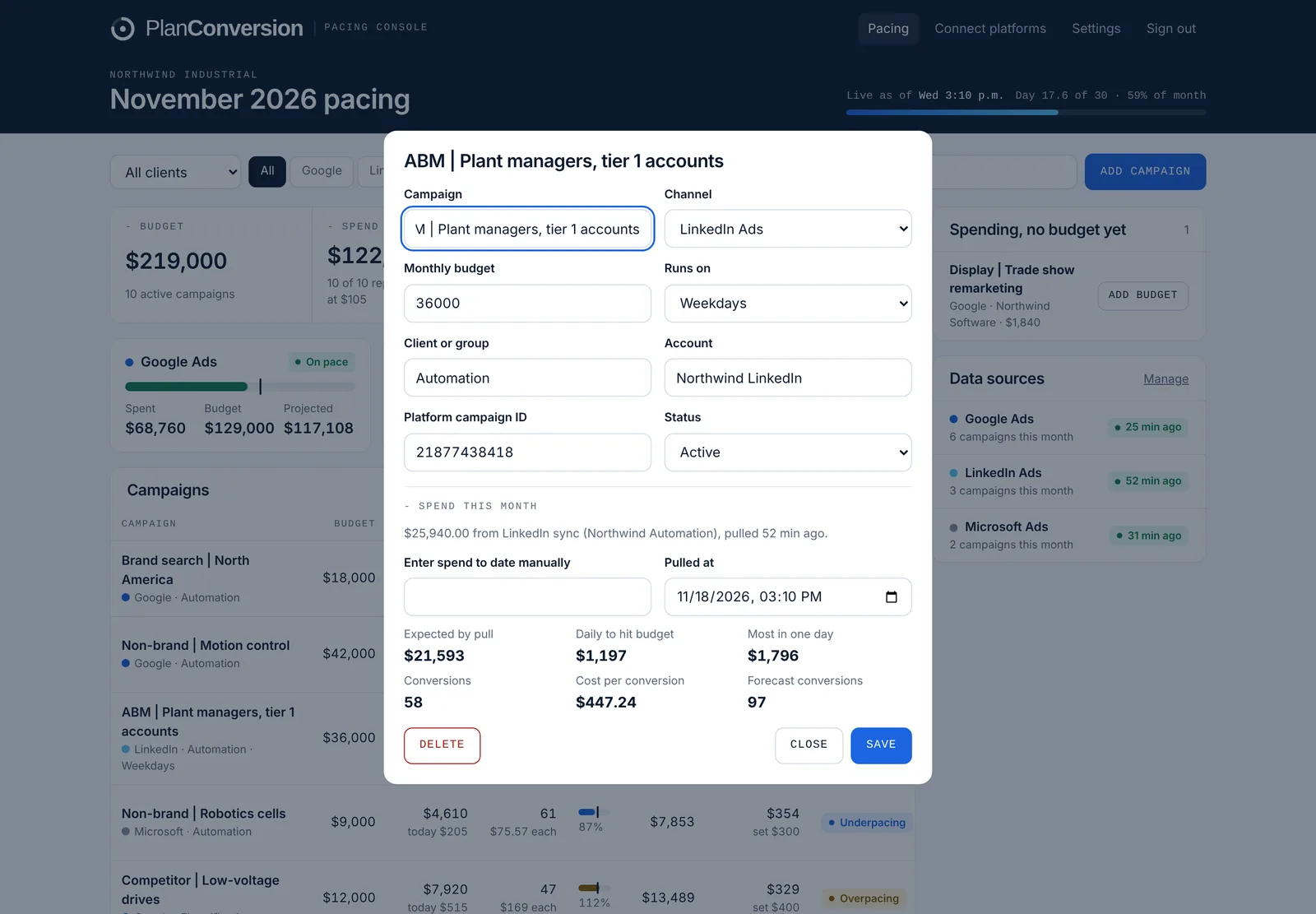
Not every campaign spends evenly for a whole month. In Pacing Console, each campaign can have flight dates, a month-by-month budget plan and a weekday schedule, so expected spend follows the dates the campaign actually runs. A cost per conversion target flags campaigns that spend on plan but convert too expensively. Flight dates and budget plans are free.
Plan: Free.
Last updated
What it does
- Flight dates so a campaign that starts on the 12th is not flagged as behind on the 3rd
- Month-by-month budget plans for seasonal or quarter-loaded spend
- Weekday schedules for Monday to Friday campaigns
- A cost per conversion target per campaign, flagged when the campaign runs above it
- Campaign detail with expected spend at the pull hour, daily budget to hit, conversions and cost per conversion
How it works
Open a campaign
Set its monthly budget, or a plan with a different budget for each month.
Add flight dates
Give launches, events and seasonal pushes their real start and end dates.
Set the schedule and target
Choose all days or weekdays, and add a cost per conversion target if you use one.
Who it is for
Event and launch campaigns
Short flights are paced against their own dates, not the calendar month.
Seasonal businesses
Load more budget into the months that matter and pace each month against its own plan.
Performance-focused teams
See when a campaign is on budget but above its cost per conversion target.
What happens before a flight starts?
Expected spend is zero until the start date, so the campaign is not flagged as underpacing.
Can budgets differ by month?
Yes. A month-by-month plan gives each month its own budget.
Is this on the Free plan?
Yes. Flight dates and month-by-month budget plans are free.
More features
Hourly cut-to-date pacing
Spend compared with what should be spent by the hour the data was pulled, in your time zone, with weekday schedules.
Month-end spend and conversion forecast
Projected month-end spend and conversions per campaign, platform and account, with a forecast range on Pro.
Budget recommendations and one-click changes
The daily budget that lands each campaign, recommendations with dollar impact, and changes applied from the console.
CRM pipeline by campaign
HubSpot, Salesforce, Pipedrive or any CRM: contacts, MQLs, SQLs, opportunities and customers by campaign, with cost per stage.
Daily pacing email
One morning email with only the campaigns that need a change, and the daily budget that fixes each one.
Client and finance report links
A read-only live report for clients, CFOs and procurement, plus team roles and one-time invite links.
Google, Microsoft and LinkedIn setup
One pre-filled script per platform, LinkedIn sign-in, manager-account coverage and no ad-account access for PlanConversion.
Enterprise and security
Per-user Enterprise from 25 users: a workspace per brand or region, budgets changed only when queued, Canadian hosting, setup and quarterly reviews.
Try Pacing Console free
Free forever, and every new workspace starts with a 30-day Pro trial. No credit card.