Pacing Console AIComing soon
Your ad budgets, explained and fixed before the month ends
Pacing Console already tells you which campaigns are off pace. The AI add-on tells you why, what to change, and writes the update for your team or client.
A paid monthly add-on for Pacing Console. Price announced at launch.
- Built on the data Pacing Console already pulls
- Every answer shows its numbers
- Nothing changes without your OK
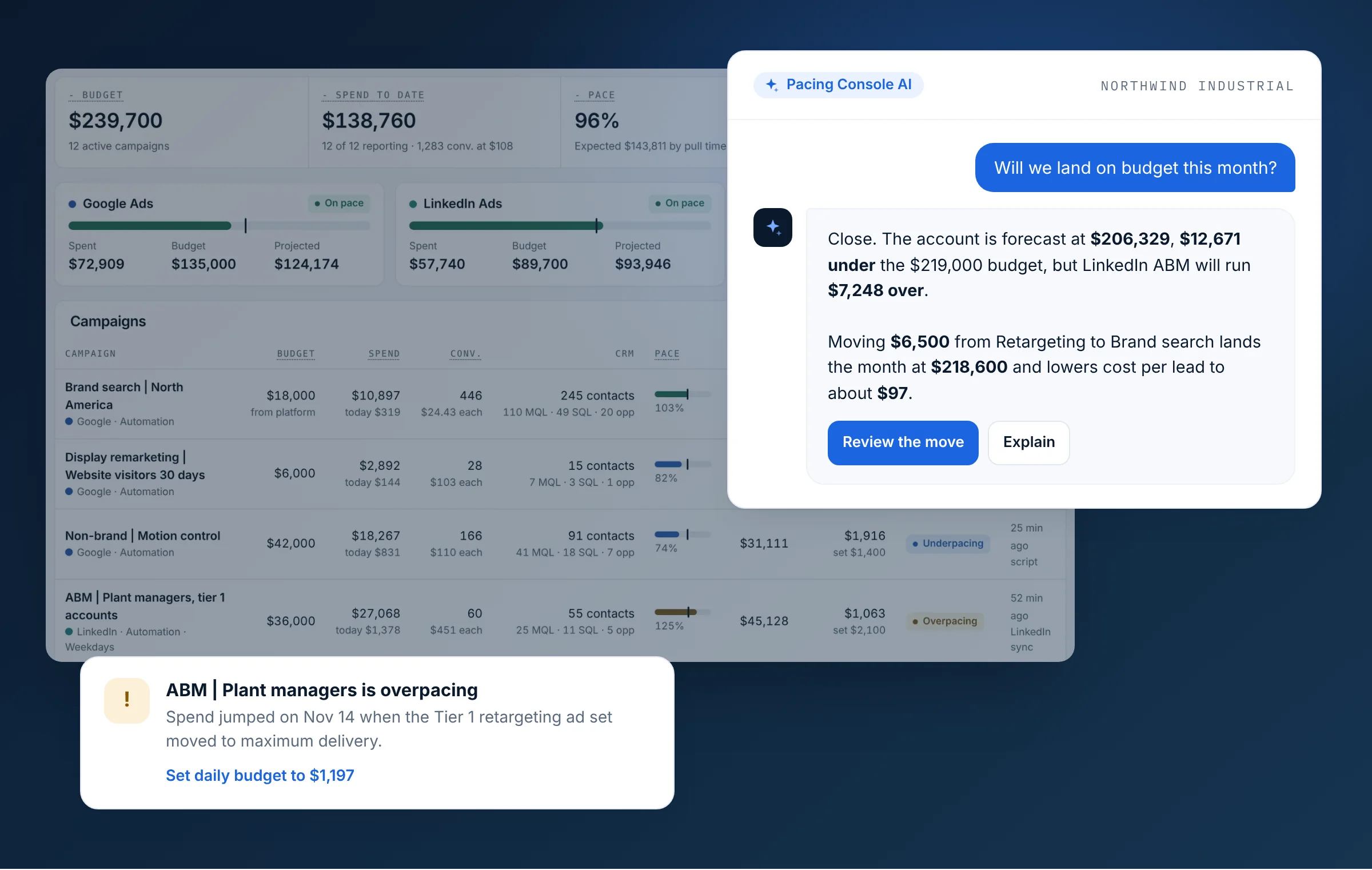
Pacing shows the gap. AI closes it.
Explain
The reason, not just the number
Each off-pace campaign comes with the cause behind it: a bid change, a delivery setting, rank, not budget.
Recommend
The move worth making
Budget shifts ranked by what they do to month-end spend, leads and cost per lead, ready to accept.
Report
The update, already written
Weekly summaries and month-end recaps your team or client can read in a minute.
In short
Pacing Console AI is a coming paid add-on for Pacing Console, PlanConversion’s ad budget pacing app for Google Ads, LinkedIn Ads and Microsoft Ads. It adds five AI features on top of hourly pacing and forecasts: smart alerts that explain why a campaign is off pace, a weekly AI summary, budget reallocation recommendations, a chat to ask questions about your budget, and a month-end recap ready for clients. The price will be announced at launch.
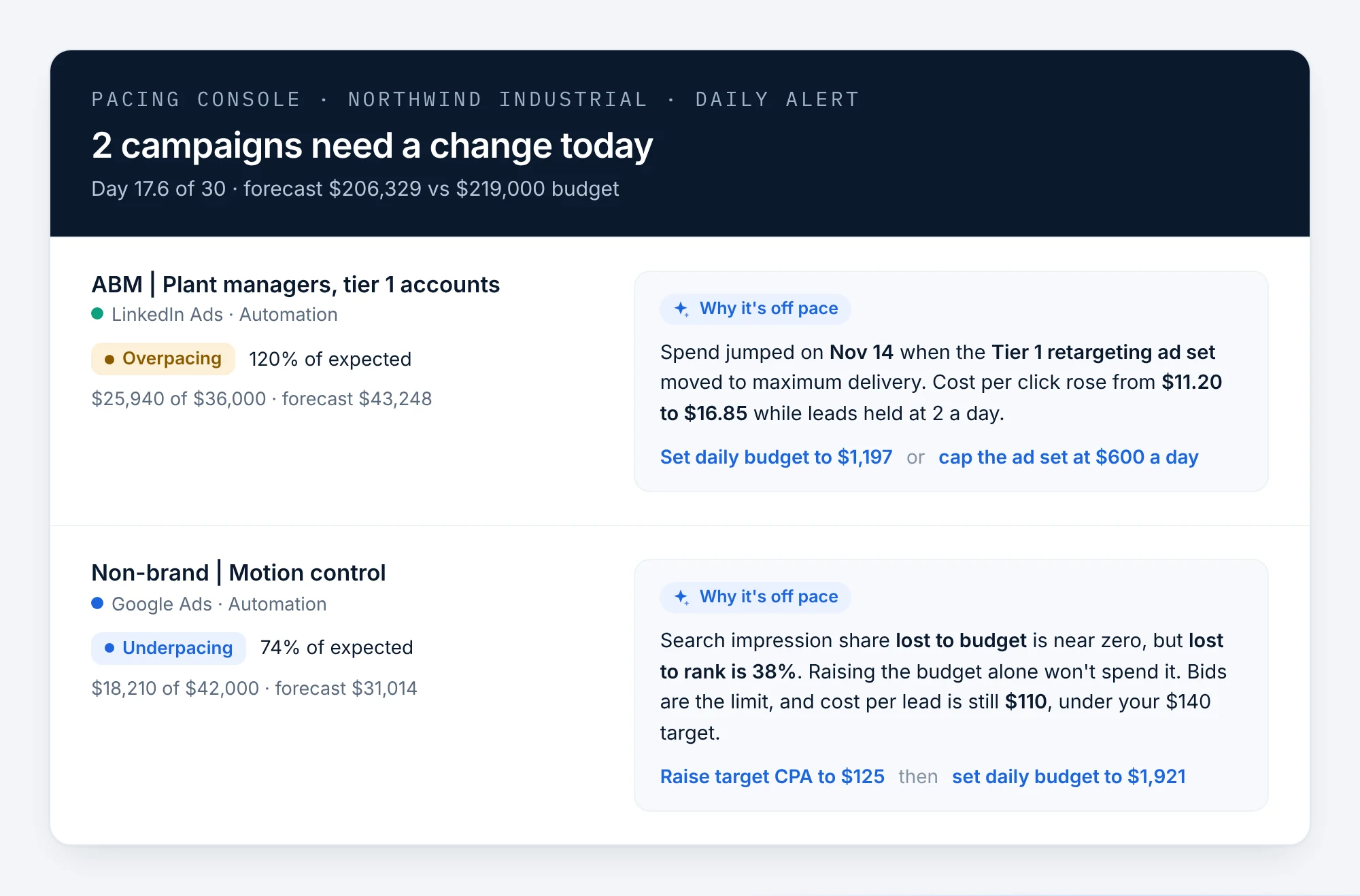
Alerts that say why, and what to do
Today’s alert says a campaign is at 120%. The smart alert adds the cause and the fix, so you act in the email instead of digging through the platform.
- The likely cause of each off-pace campaign: delivery, bids, rank or a new ad set
- One or two specific fixes with the amounts
- Separates budget problems from bid problems, so you don’t raise a budget that can’t spend
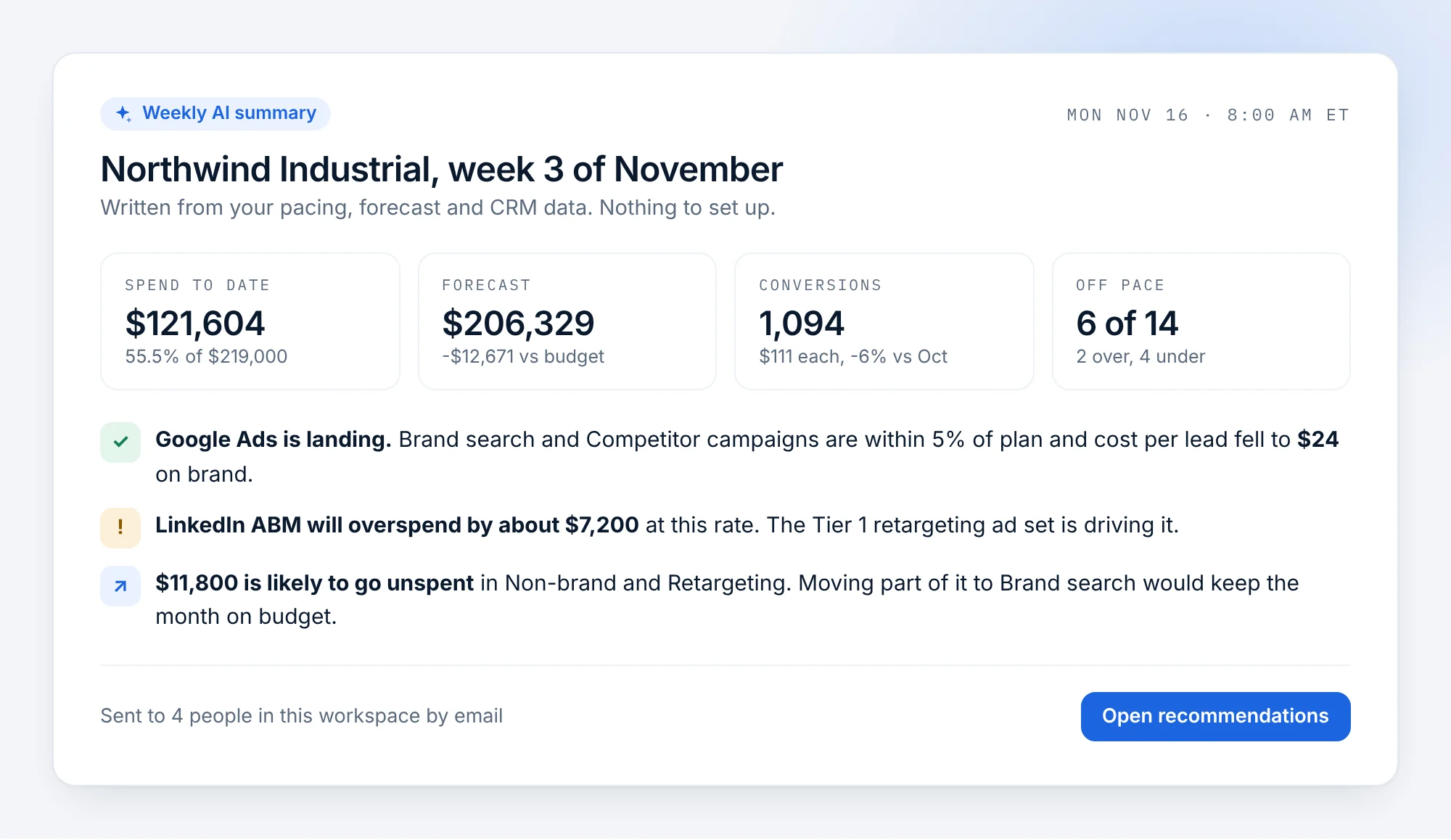
Monday morning, the account in five lines
A plain-language summary of each workspace every week: where the month will land, what is working, what will overspend and what will go unspent.
- Written from your pacing, forecast and CRM data
- Sent by email to the people in the workspace
- Links straight to the recommendations behind it
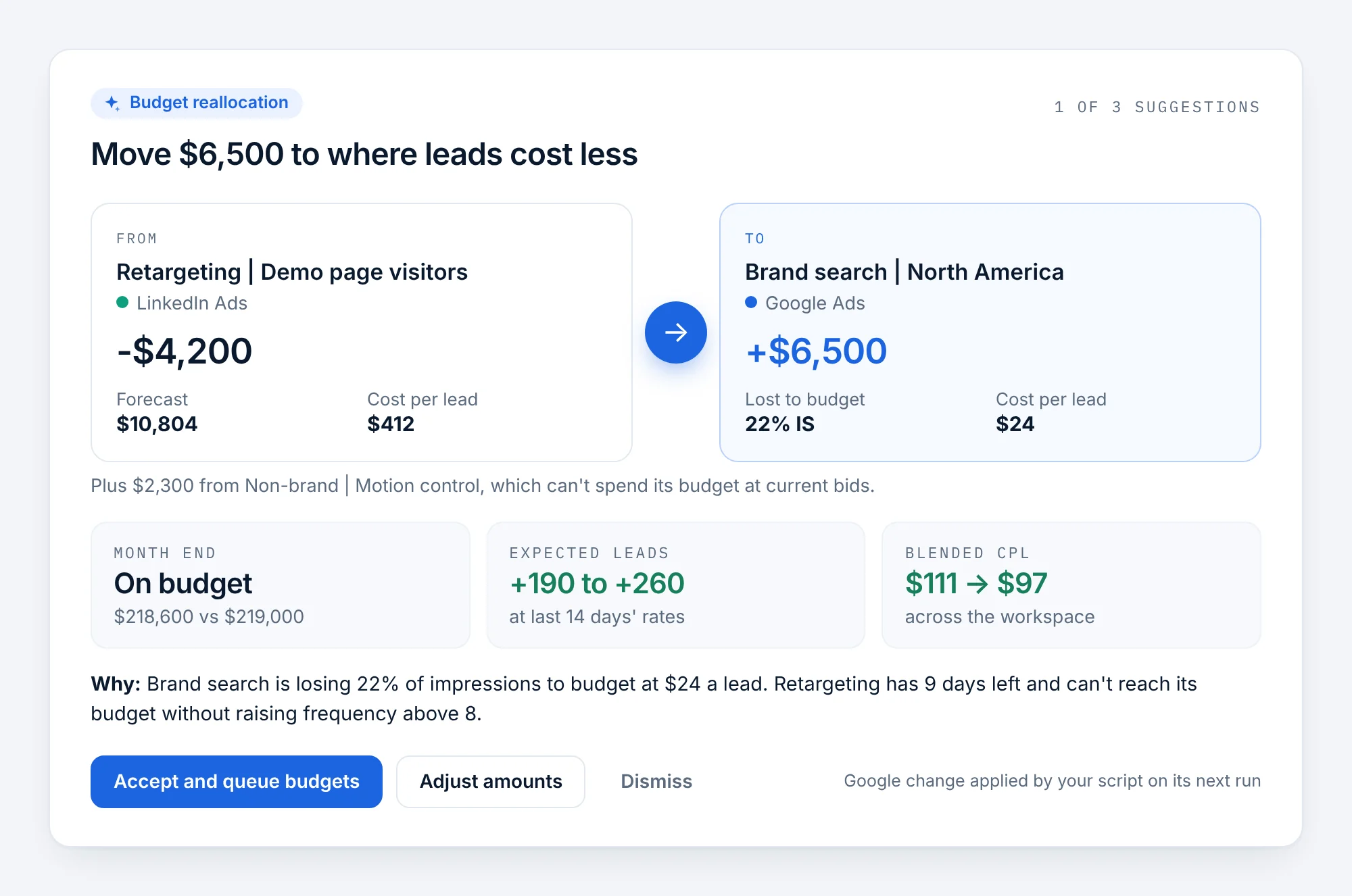
Move money to where leads cost less
The AI looks across campaigns and platforms for budget that can’t spend and campaigns losing impressions to budget at a lower cost per lead, then proposes the move.
- From and to, with the amounts, for Google, Microsoft and LinkedIn
- Expected effect on month-end spend, leads and blended cost per lead
- Accept and Google Ads or Microsoft Ads changes are queued for your own script, like today’s one-click changes
Ask a question, get the answer with the numbers
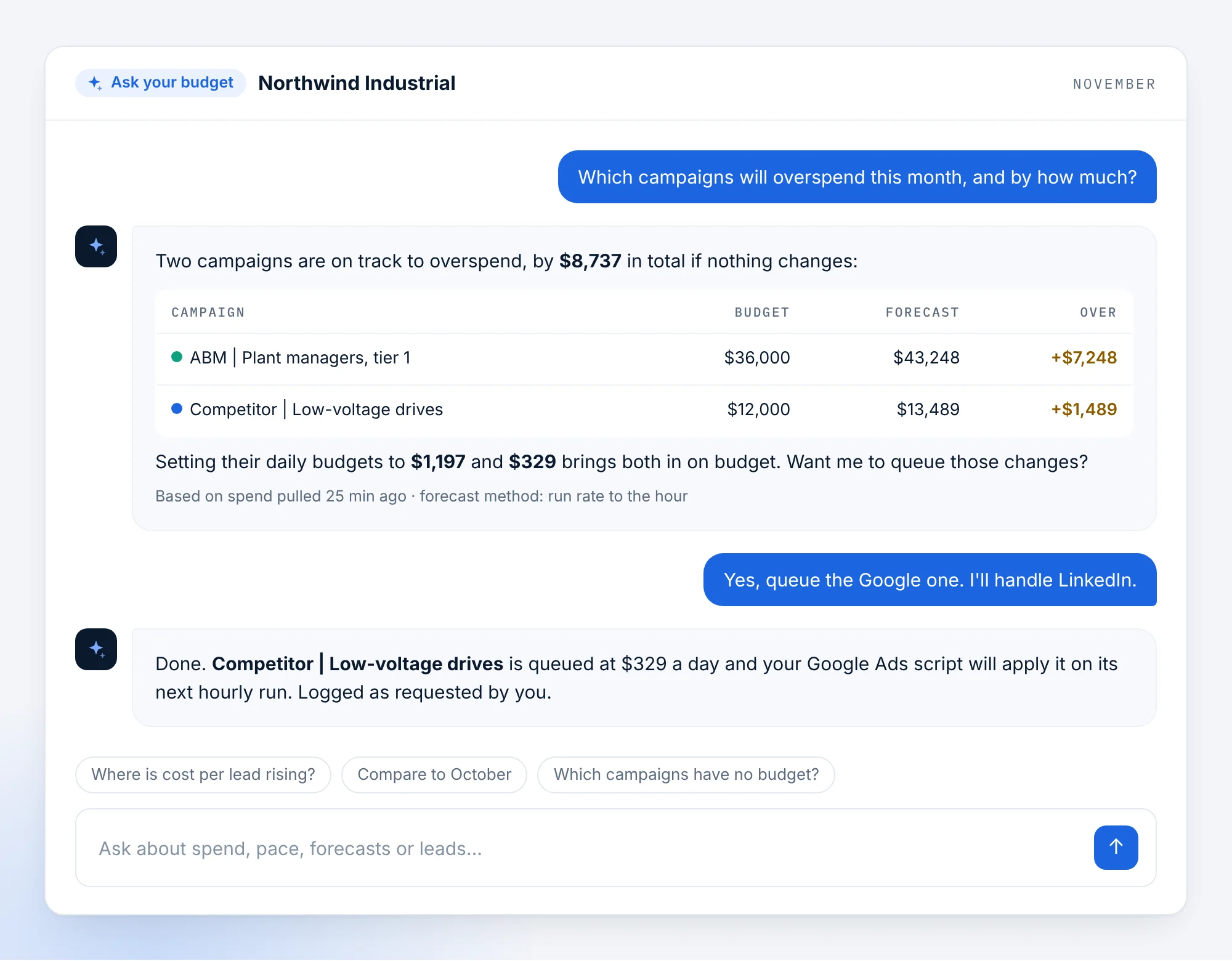
Type what you would ask your paid media lead: which campaigns will overspend, where cost per lead is rising, how this month compares with last.
- Answers in tables, from your own workspace data
- Shows when the data was pulled and how the forecast was made
- Can queue a budget change when you say so, logged under your name
A client-ready recap in seconds
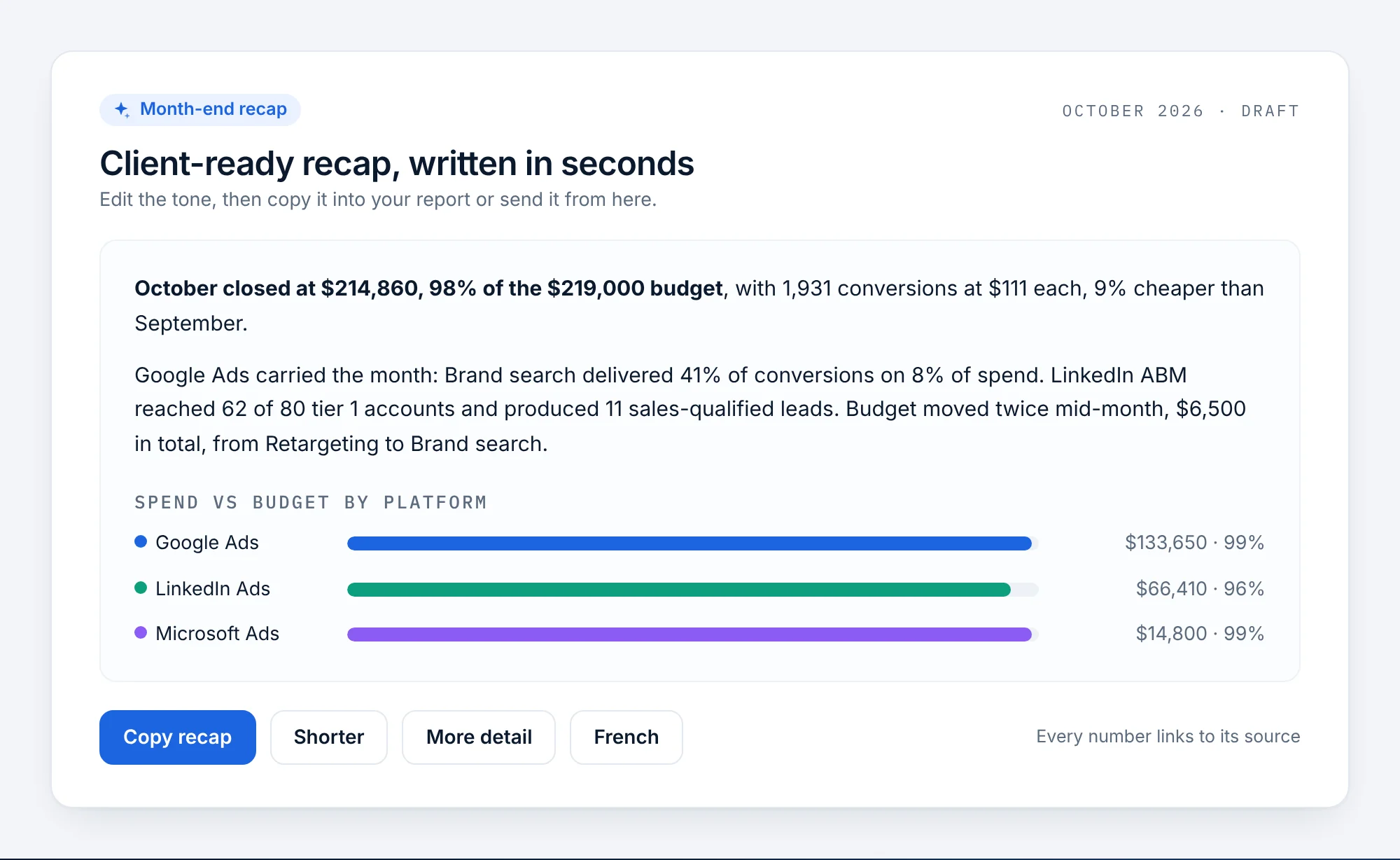
At month end, a short written recap of spend, results and the budget moves made, with a chart by platform. Edit the tone, then copy it into your report.
- Spend against budget, conversions and cost per conversion, with the change from last month
- Shorter, more detail, or in French with one click
- Every number links back to its source in Pacing Console
Concept screens on sample data. Details may change before launch.
Built for agencies running dozens of client accounts
One script in your Google Ads or Microsoft Ads manager account already paces every client account under it. The AI add-on turns that into a morning triage list and a stack of client updates ready to approve.
Every client account, ranked by what needs you today
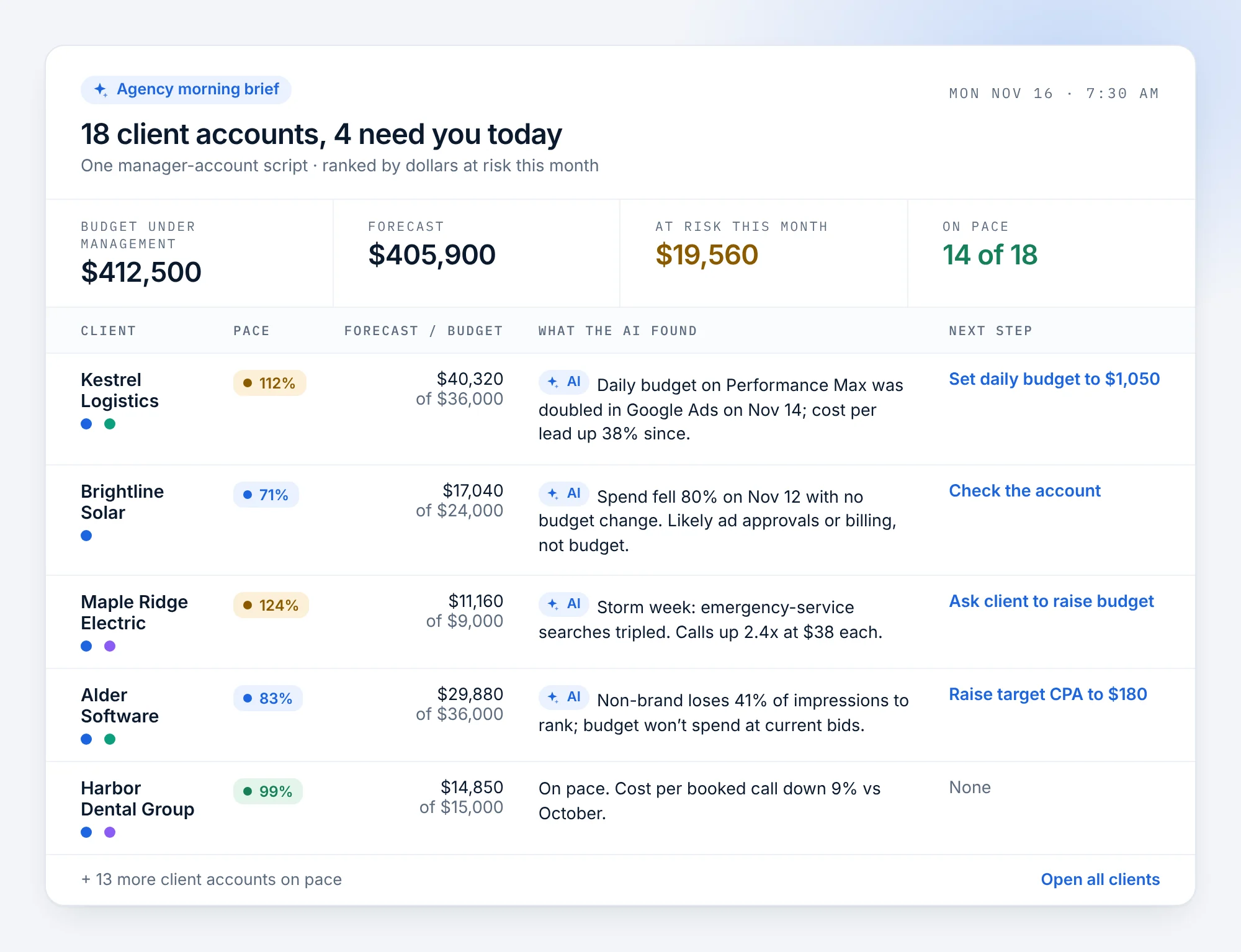
Instead of opening 18 accounts, start the day with the four that need attention, the reason behind each one and the next step, ranked by dollars at risk this month.
- Every client account under your manager account, in one list
- Separates budget problems from spend that stopped for other reasons
- Flags when the right answer is asking the client for more budget
A month-end update for every client, drafted at once
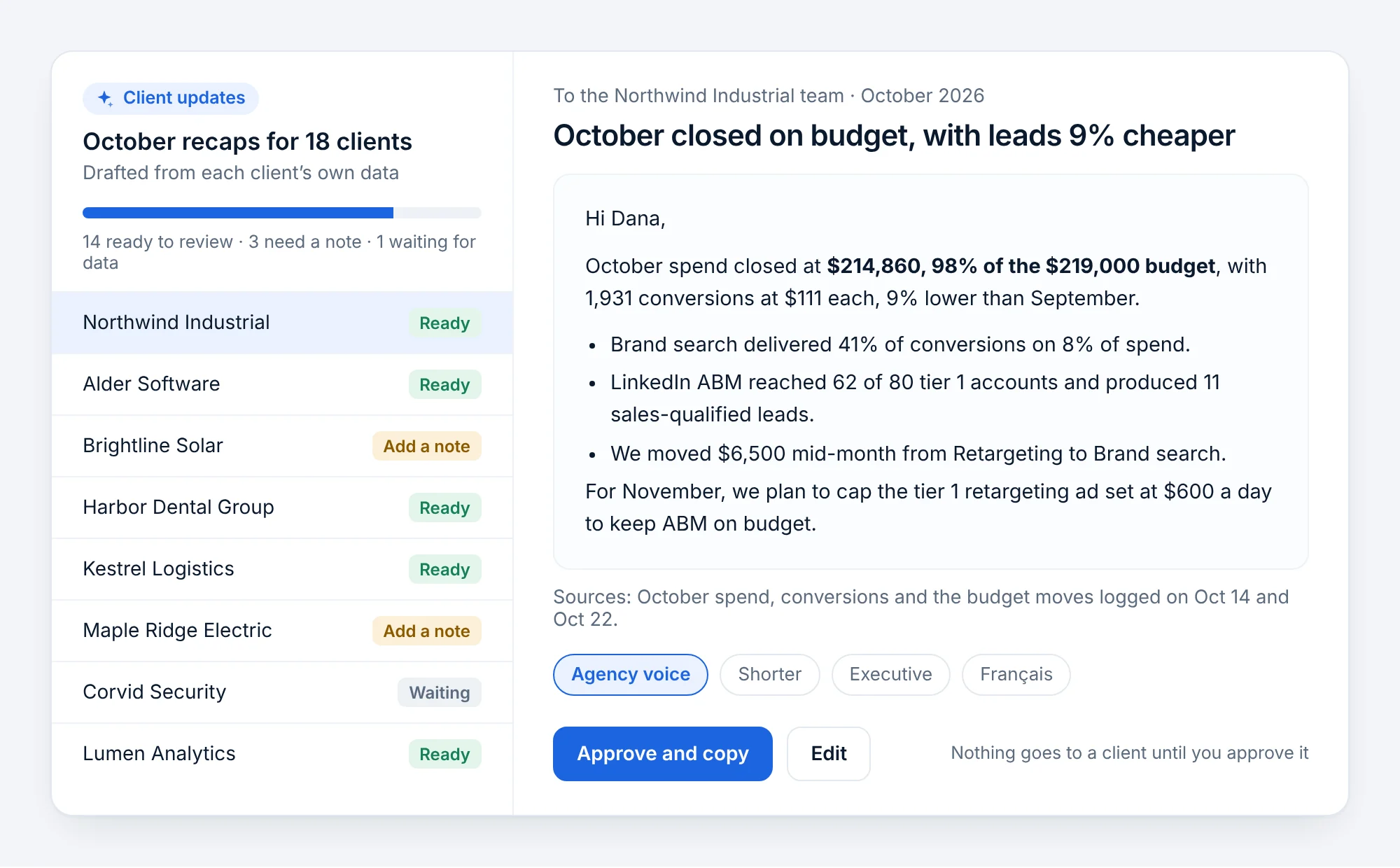
At month end, the AI drafts one update per client from that client’s own data, in your agency’s voice. Your team reviews, edits and approves each one before it goes anywhere.
- One draft per client, with the budget moves you made
- Flags the clients who need a personal note from you
- Nothing goes to a client until someone approves it
On top of the Pacing Console you already set up
Your pacing data
The add-on reads what Pacing Console already pulls every hour: spend, budgets, forecasts, conversions and CRM stages. No new connection.
AI reads it for you
It finds the cause behind each gap, ranks the moves worth making and writes the summary, every time the data updates.
You decide
Accept, adjust or dismiss. Budget changes are only queued when someone accepts them, and your own scripts apply them.
Built to be checked, not trusted blindly
AI that touches budgets has to show its work. These rules hold from day one.
- Never changes a budget on its own
- Every figure comes from your workspace data, with its source
- Data stays hosted in Canada
- Your ad and CRM data is not used to train AI models
- Admins can turn the add-on off for a workspace
Be first to know when it launches
Join the waitlist and we will email you when Pacing Console AI is ready, with the price, before anything is charged.
- Tell us which features matter most and they ship first
- Works with your current Pacing Console workspace
- Leave the list any time
Questions about Pacing Console AI
Not using Pacing Console yet? Start your free month today: the AI add-on will work on the same workspace.
What is Pacing Console AI?
A paid add-on for Pacing Console that explains why campaigns are off pace, recommends budget moves, answers questions about your ad spend and writes weekly and month-end summaries, from the data Pacing Console already pulls.
When will it launch?
It is coming soon. Join the waitlist and we will email you when it is ready.
How much will it cost?
It will be a monthly add-on on top of your Pacing Console plan. The price will be announced at launch, and waitlist members hear it before anything is charged.
Does it work for agencies with manager accounts?
Yes. Pacing Console already paces every client account under one Google Ads or Microsoft Ads manager account script. The AI add-on adds a morning brief across all clients and drafts a month-end update for each client, for your team to approve.
Which ad platforms does it cover?
The same as Pacing Console: Google Ads, Microsoft Ads and LinkedIn Ads.
Will the AI change my budgets?
No, not on its own. It recommends changes. A change is only queued when someone accepts it, and your own Google Ads or Microsoft Ads script applies it, as with today’s one-click changes.
Is my data used to train AI models?
No. Your ad and CRM data is used only to answer for your workspace, and it stays hosted in Canada.
Get Pacing Console AI first
Join the waitlist today, and start pacing with Pacing Console while you wait.