Pacing Console for agencies
Pace every client account from one manager-account script
Paste one script in your Google Ads or Microsoft Ads manager account (MCC). Every client account under it is paced by the hour, with month-end forecasts and the daily budget that lands each campaign.
First month free for up to 3 users. Then $49 USD per workspace a month on Pro, whatever your clients spend.
- One script covers every client account
- No one gets access to your clients’ ad accounts
- Price does not grow with ad spend
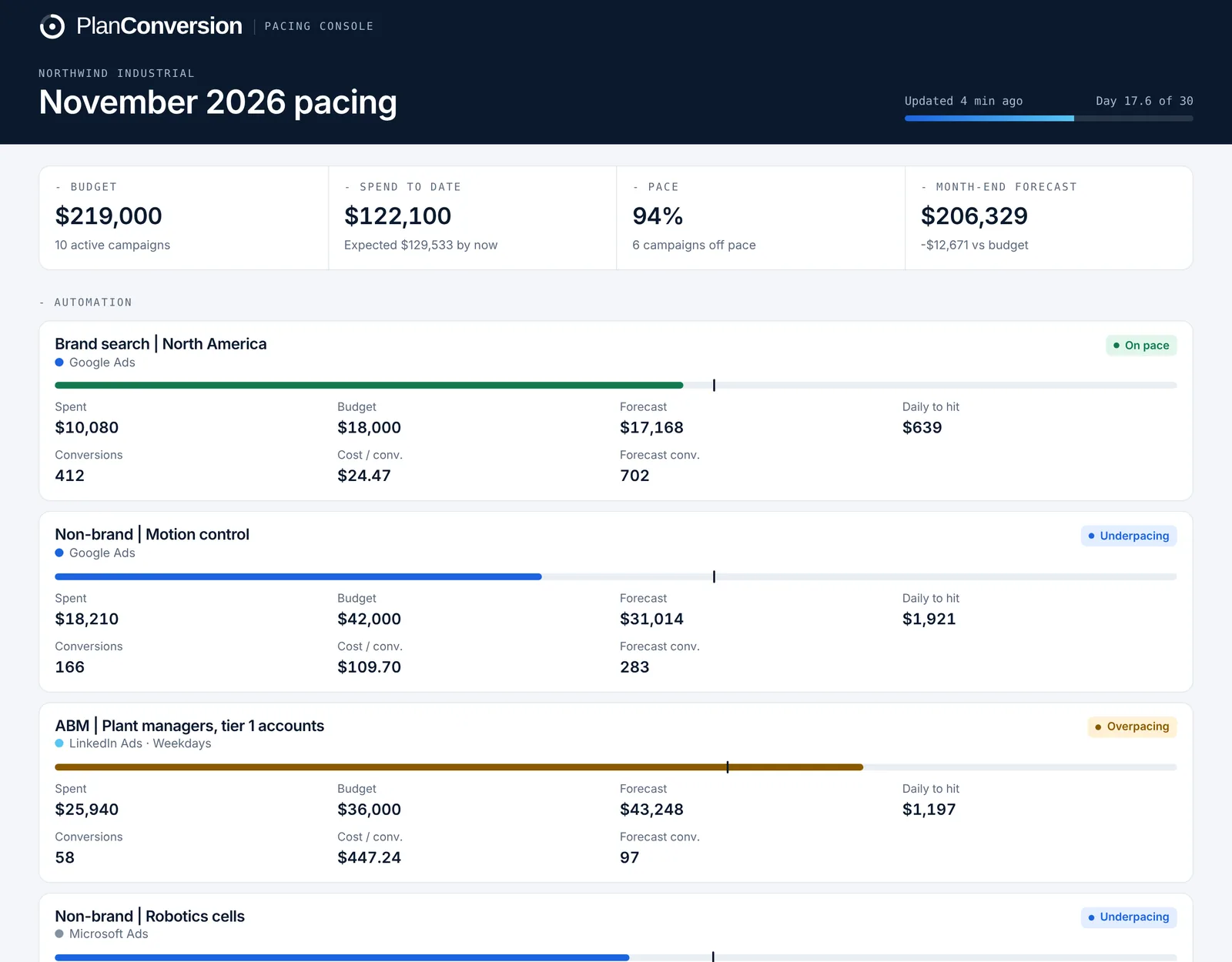
Stop opening every client account to check spend
Coverage
Every client, one script
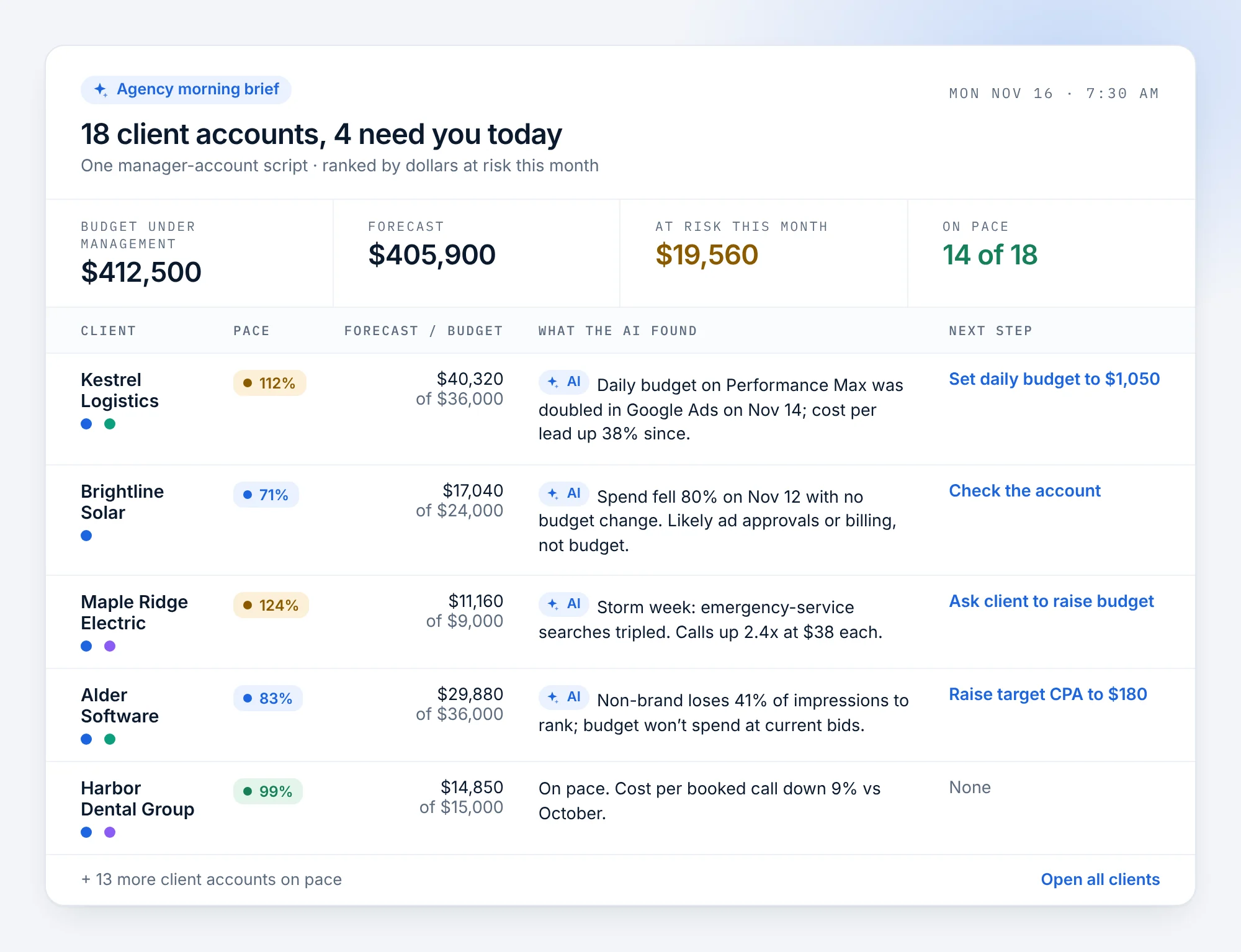
One script in the manager account paces every client account under it, every hour. New client accounts appear as soon as they spend.
Triage
See who is off pace first
Campaigns over budget, overpacing or underpacing rise to the top, with the daily budget that fixes each one.
Clients
One view and one link per client
Assign each ad account to a client once. See each client across platforms, and send each client a live report that shows only their accounts.
In short
Pacing Console is PlanConversion’s ad budget pacing app, and agencies use it with one script in a Google Ads or Microsoft Ads manager account (MCC) that paces every client account under it, every hour. It forecasts month-end spend and conversions, gives the daily budget that lands each campaign, sends a daily email of what is off pace, shows each client across Google Ads, Microsoft Ads and LinkedIn Ads, and gives each client its own read-only report link. LinkedIn Ads accounts connect with LinkedIn sign-in. Pro is $49 USD per workspace a month after a free first month, and the price does not grow with ad spend.
Every client account paced by the hour
Spend pulled at 3 p.m. is compared with what each campaign should have spent by 3 p.m., in your time zone. Group campaigns by client and sort by what is furthest off.
- One Google Ads or Microsoft Ads manager-account script for all client accounts
- LinkedIn Ads accounts with LinkedIn sign-in
- Month-end forecast and gap to budget per campaign, platform and account
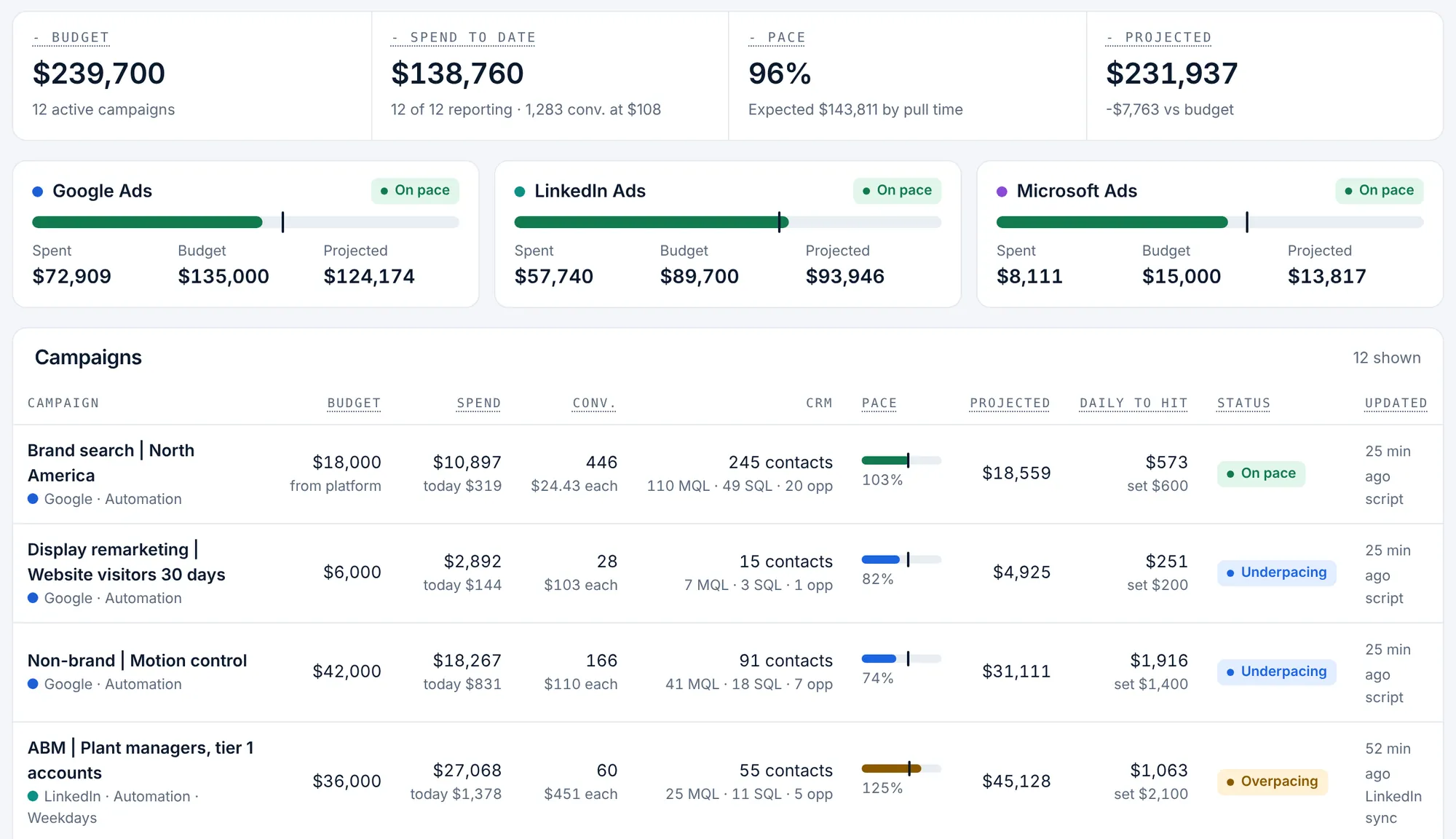
The changes worth making, ranked by dollars
Recommendations list every budget to raise or lower, sorted by urgency and dollar impact. On Pro, accept one and your own script applies the new daily budget on its next run.
- Daily budget to hit for every campaign
- One-click budget changes for Google Ads and Microsoft Ads on Pro
- A change log with who asked, why, and the old and new amounts
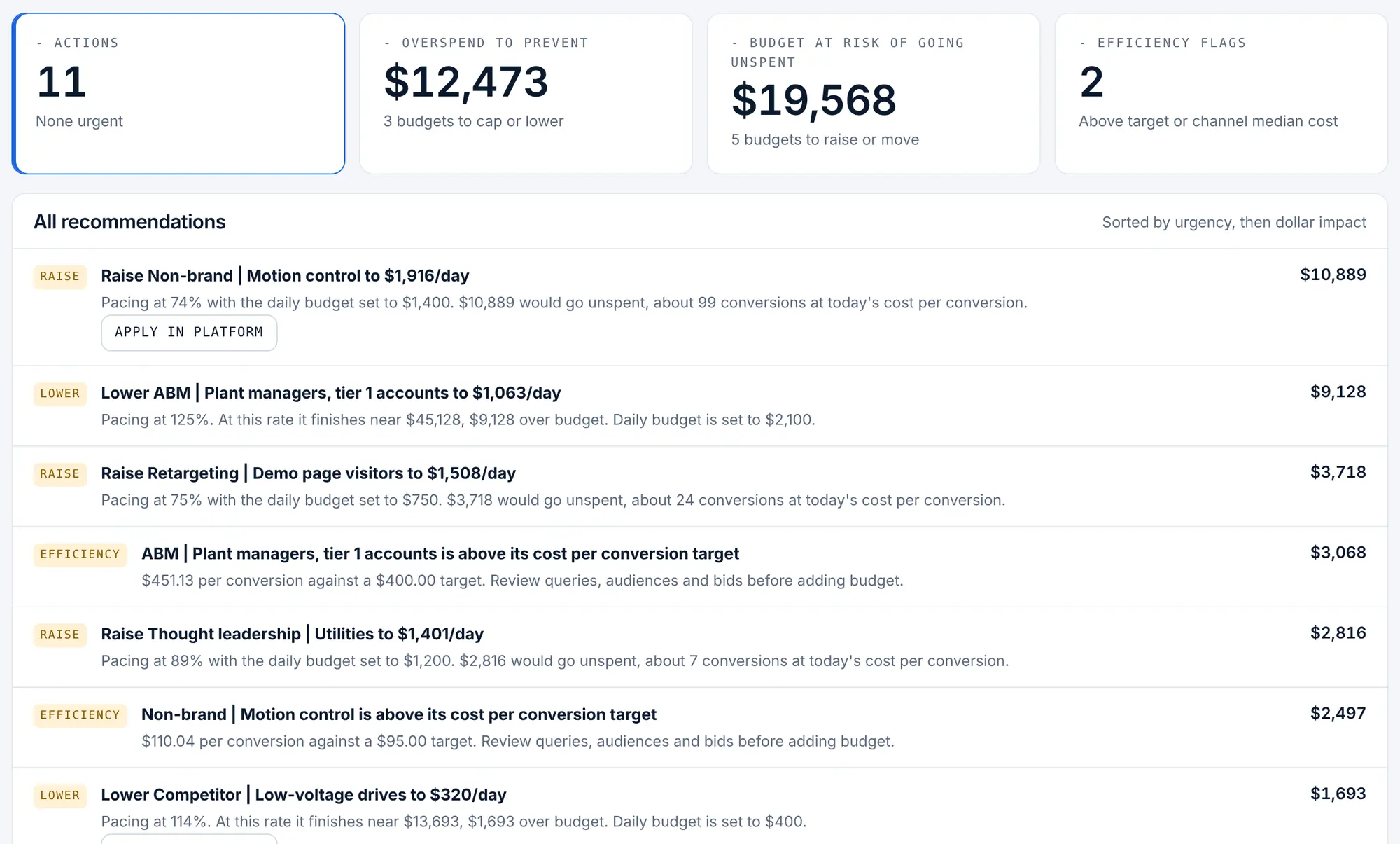
One email each morning with what is off pace
Your team gets one email listing campaigns over budget, overpacing or underpacing across all client accounts, plus any platform that stopped sending data. No email on days when everything is on pace.
- Sent at the hour you choose, in your time zone
- Each teammate opts in or out
- Flags a script that stopped running
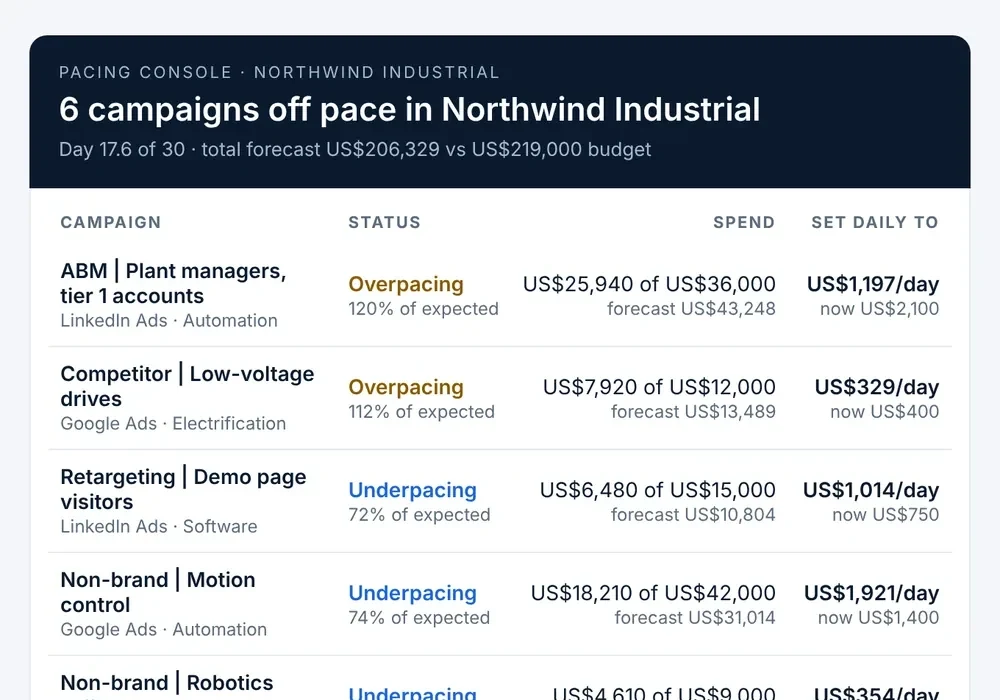
One view per client, and a report link that shows only theirs
Assign each ad account to a client once in the client map: Google Ads, Microsoft Ads and LinkedIn Ads accounts with different names become one client. Each client gets a live, read-only report link with only their campaigns, labelled with your agency’s name.
- Budget, spend, forecast and cost per conversion per client, across platforms
- A separate report link per client, with no login, that you can replace or turn off
- New campaigns join their client automatically
Live across your client accounts in about 15 minutes
Create the workspace
Sign up with a work email. One workspace holds all the client accounts under your manager account.
Paste one script in the MCC
Copy the pre-filled script into your Google Ads manager account (and Microsoft Ads, if you use it) and schedule it hourly.
Group by client
Campaigns appear as data arrives, paced against their platform daily budgets. Group them by client and set monthly budgets where you need them.
One flat price per workspace
Most agency tools charge more as client spend grows. Pacing Console does not.
- First month free, up to 3 users, no card
- Pro: $49 USD per workspace a month with 10 users, then $5 per extra user
- Enterprise from $1,500 USD a month billed annually, with pipeline and revenue reporting
Questions from agencies
Want to see it first? The live demo runs the real app on sample data, no signup needed.
Does one script really cover every client account?
Yes. One script in a Google Ads or Microsoft Ads manager account paces every account under it. LinkedIn Ads accounts connect separately with LinkedIn sign-in.
Does PlanConversion get access to my clients’ ad accounts?
No. The script runs inside your manager account and sends only campaign names, IDs, spend, conversions and daily budgets, plus live ad URLs for the link check.
Can a client see only their own accounts?
Yes. Assign each ad account to that client once in the client map, then create a report link for the client. It shows only their campaigns, on every connected platform, with your agency’s name on it, and needs no login.
Does the price grow with client spend?
No. Pro is $49 USD per workspace a month, with 10 users included, whatever your clients spend.
Is Meta supported?
Pacing Console paces Google Ads, Microsoft Ads and LinkedIn Ads today.
Pace every client by tomorrow morning
Start your free month, paste one script in your manager account and get tomorrow’s pacing email across all clients.